Support

Maximize the potential of StellarPay!

Whether you’re new to the plugin or facing a challenge, we’ve got all the resources you need to get up and running smoothly.


Our knowledge base documents are here
to support you at every step.

Check out our StellarPay 101 Guide for a comprehensive introduction, and explore our Settings Guide for in-depth configuration tips.

When in Test Mode, you can test your store’s integration with Stripe without using actual money.

How to issue refunds for payments made through WooCommerce.

The StellarPay dashboard gives a complete picture of what’s happening in both Stripe and WooCommerce.

FAQ

Here are some common questions and answers to help you make the most of StellarPay:

Yes! As an open-source project, StellarPay is absolutely free to install and use. (Please note that while there are no additional costs associated with StellarPay itself, you may incur transaction fees from Stripe when processing payments.)

Setting up StellarPay is a straightforward process that can be completed in just a few steps:

  1. Install and Activate the Plugin: You can install StellarPay by downloading the plugin from this page and uploading the ZIP file to your WordPress site. Alternatively, you can search for “StellarPay” directly from the Add New Plugin page in your WordPress dashboard.
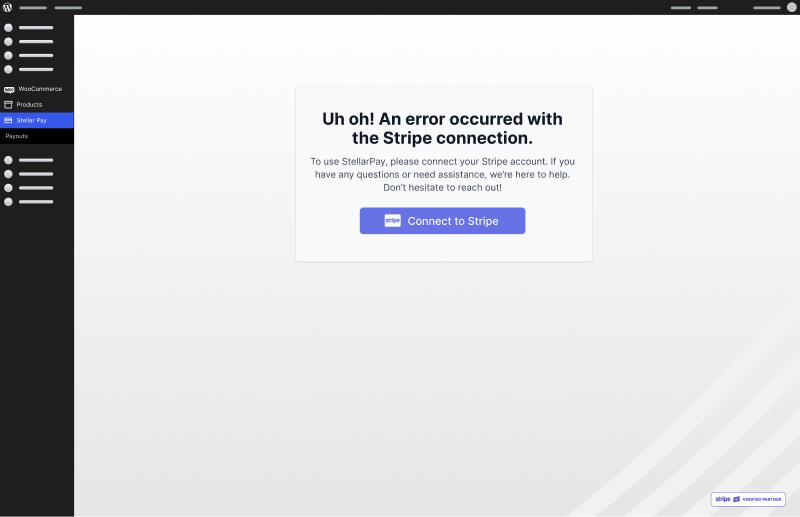
  2. Connect to Stripe: After activation, click the “Connect to Stripe” button. You’ll be directed to a secure portal where you can log in to your Stripe account. This connection allows StellarPay to handle transactions directly through your Stripe account, ensuring that payments are processed securely and efficiently.
  3. Customize Your Checkout Experience: Once connected, you can customize StellarPay to align with your website’s branding. This includes adjusting the styles of your checkout page and fully white-labeling the admin pages within the WordPress dashboard, giving you complete control over the user experience.

For more detailed guidance, refer to our Getting Started Guide, which will help you navigate the setup process and take full advantage of all features.

Yes, StellarPay offers subscription products and services, allowing you to automatically collect recurring payments directly through your WooCommerce store, without additional plugins—or costs.

When configuring a WooCommerce product (with StellarPay installed and active), you can choose between “one-time,” “subscription,” or “installment” payment options. Payment frequency and amount are easily customizable from the product page. Payments are securely processed through Stripe, and can be monitored right in the StellarPay dashboard.

By utilizing StellarPay’s subscription capabilities, you can enhance your business model to include recurring revenue from memberships, product-of-the-month clubs, recurring consumable products, monthly service contracts, and more.

First, check the following:

  • Ensure you are connected to the correct Stripe account
  • Stripe is in Live mode, not test mode. You will see a red alert icon on the StellarPay admin menu item when the account is in test mode. [PIC]
  • WooCommerce and WordPress are updated to the most recent version

If you are still experiencing issues, please refer to our Knowledgebase, or submit a support ticket.

StellarPay is designed to work seamlessly with WooCommerce and its many extensions. However, the WooCommerce ecosystem is vast, and not every add-on can realistically be tested. If you encounter compatibility issues, please submit a request for compatibility support.

Get Help

If you haven’t found the answer you need, our support team is here to help.

Submit a Support Request on WordPress.org and our customer success team will respond promptly to assist you. To help us provide you with the best support, please include a detailed explanation of the issue, as well as the following factors:
  • Website URL.
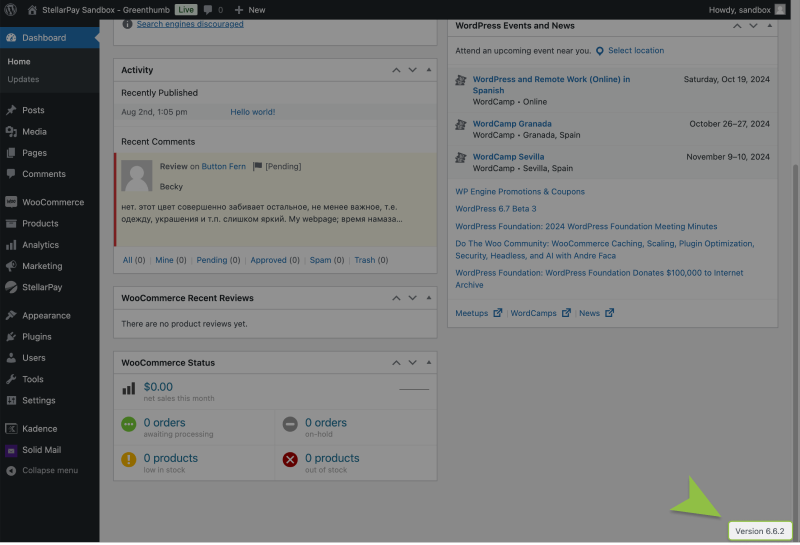
  • WordPress Version. The WordPress version can be found at the bottom right of every screen in the admin area.
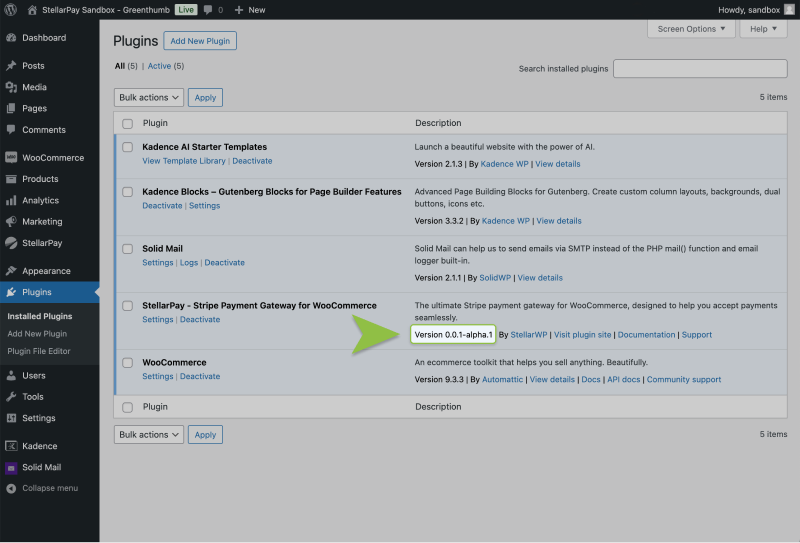
  • WooCommerce Version. The WooCommerce version can be found on the plugin list in the WordPress admin.
  • StellarPay Version. The StellarPay version can be found on the plugin list in the WordPress admin. 
  • Attach any relevant screenshots or error logs, along with a description.

Spread the Word

We’d love to hear your feedback! If you’re enjoying StellarPay, please consider leaving us a review. Your feedback helps us improve and helps others discover StellarPay. 

Stay Updated

Stay informed about the latest StellarPay updates, new features, and improvements. Subscribe to our newsletter for expert tips to help your clients succeed with their eCommerce websites.

Name(Required)