


StellarPay is the best way to offer customers a way to pay at regular intervals with WooCommerce and Stripe, enabling subscription products for no additional charge, from day one. This document walks you though how to get started using subscriptions, and answers common questions around subscription support in StellarPay.
Before you get started with Subscriptions, the subscriptions page on the StellarWP dashboard shows an encouragement to create subscription products.

Creating a Subscription Product #
Once StellarPay is installed, activated, connected to Stripe, and enabled within the WooCommerce settings, an additional set of fields for distinguishing between One-time, Subscription, and Installment payments shows up when adding a new simple product to your store.
Important: StellarPay supports Subscriptions and installments for Simple Products in WooCommerce. StellarPay does not currently support subscriptions for variable products, grouped products, or External/Affiliate products.
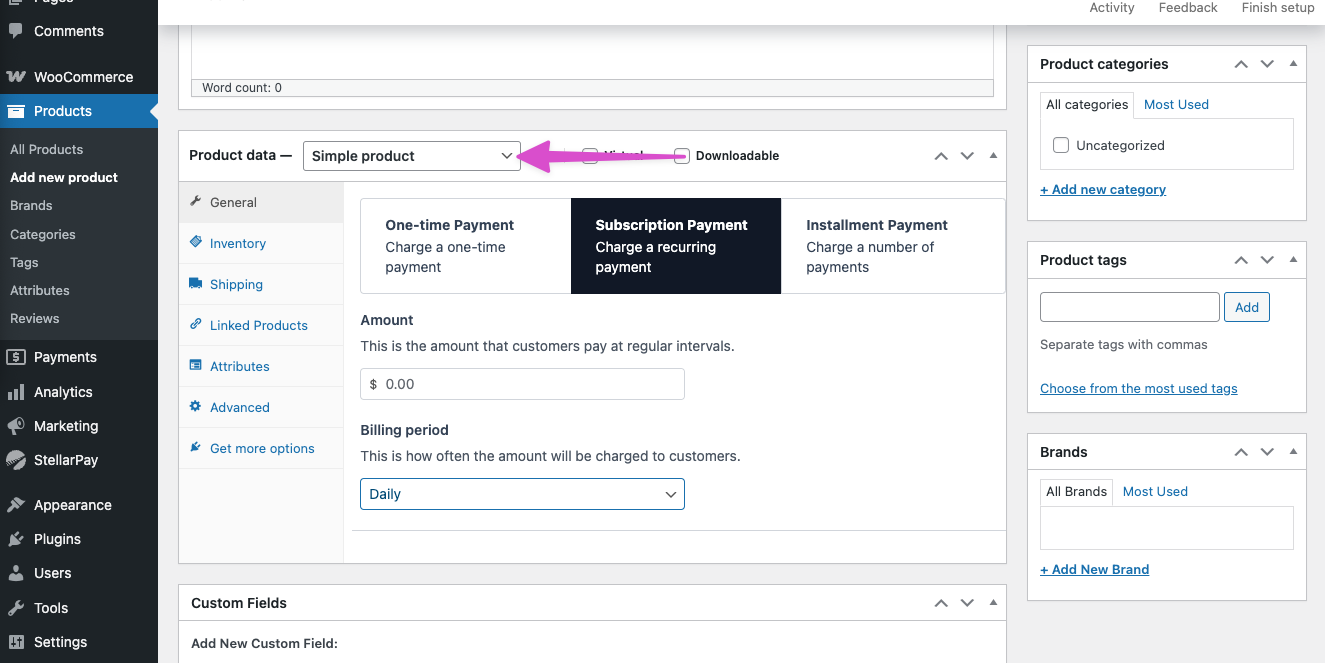
Subscriptions in StellarPay can be set up to charge indefinitely, or for a certain number of payments. To set a limit, use the “Installment Payment” option.
For both Subscription Payments and Installment Payments, you can set the billing period, which is the amount of time that elapses between transactions. The options for billing period are Daily, Weekly, Monthly, Yearly, or Custom. The “custom” option allows you to creatively bill in periods like “every 2 months” or “every 9 weeks” or even “every 6 days.”
Keep in mind that Stripe fees are charged per transaction, so make sure you build in enough margin into your prices to account for a billing period as frequent as “daily” or “weekly.”
Managing Subscriptions #
Once a Subscription is created (not just the subscription product, but the moment someone purchases it!), you can see and manage the subscription itself in the StellarPay dashboard. Customers can also manage their own subscriptions from their “my account” page.
Customers managing their own Subscriptions #
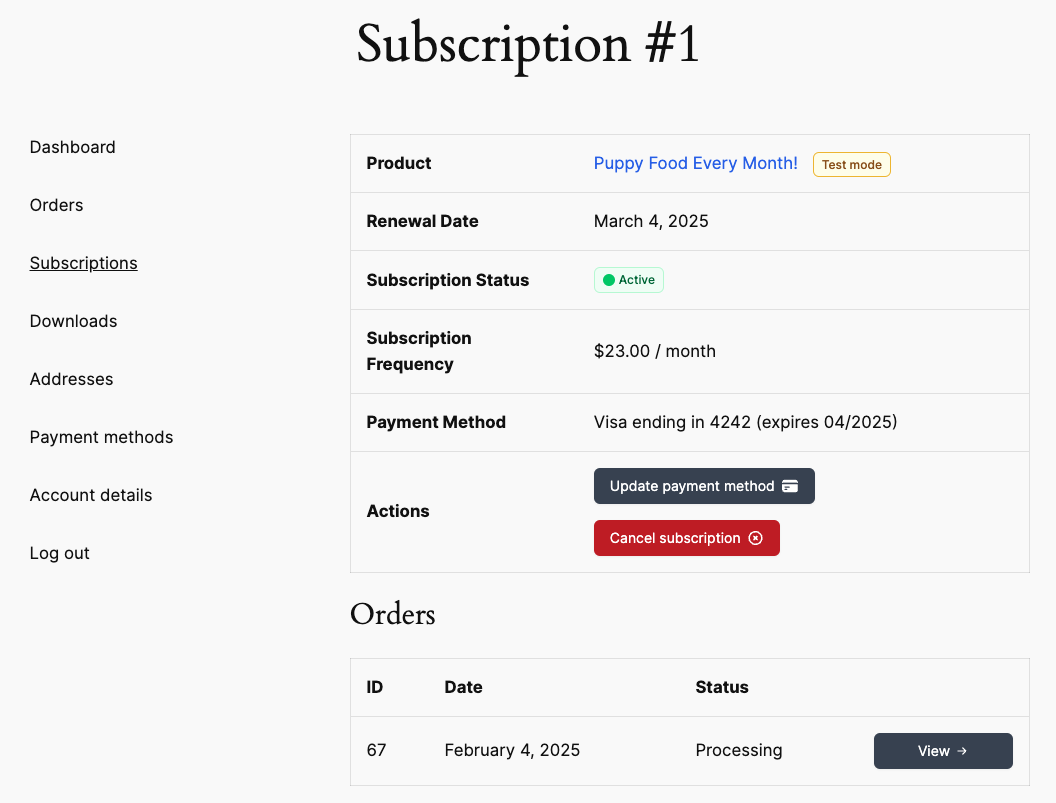
The two important actions a user can take on a subscription is to Update their Payment Method, and Cancel their subscription. When a customer is logged into their account, they can perform either of those actions. Note that sensitive data like card numbers never touches your site’s servers, and is securely transmitted directly to Stripe.
Store administrators managing Subscriptions #
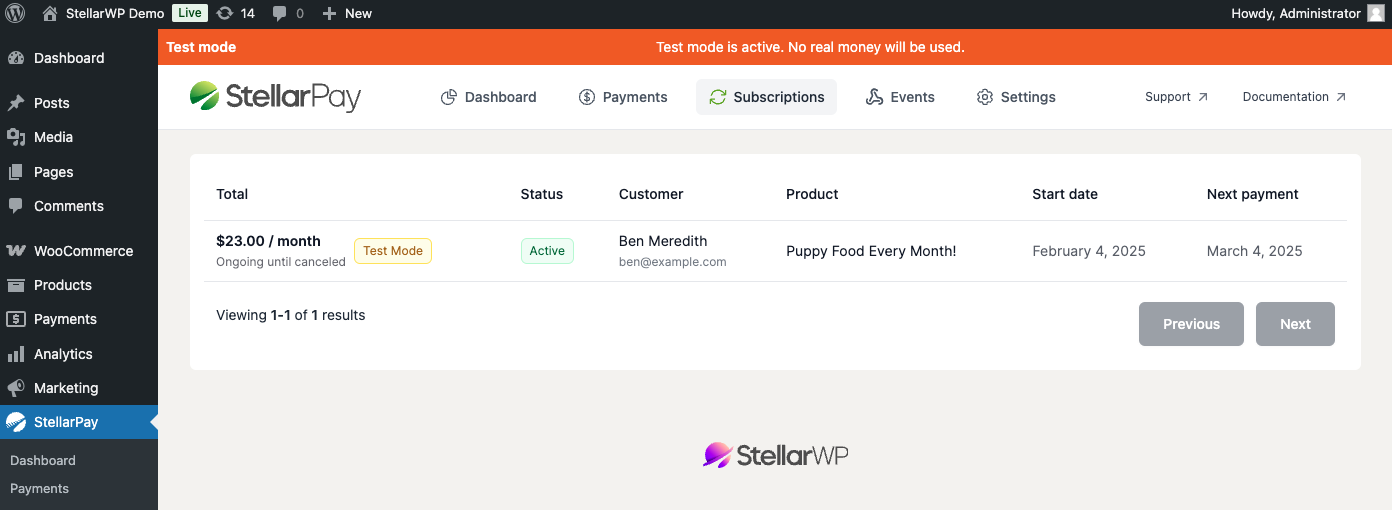
Store/site administrators can also manage subscriptions from the “Subscriptions” tab at StellarPay > Subscriptions.
