
StellarSites is designed to keep things simple, safe, and smart. Currently, self-serve staging sites are not available directly from the dashboard. However, if a project requires a staging environment, users are encouraged to contact the support team. Each request is reviewed carefully, and if a staging setup is deemed necessary, it will be created using internal tools.
Why Isn’t Staging Available by Default? #
Many hosting platforms offer staging as a standard feature, so it’s understandable if this feels like a missing piece. StellarSites takes a different path—one focused on safety and simplicity for most users.
Built-In Safety with Solid Backups NextGen #
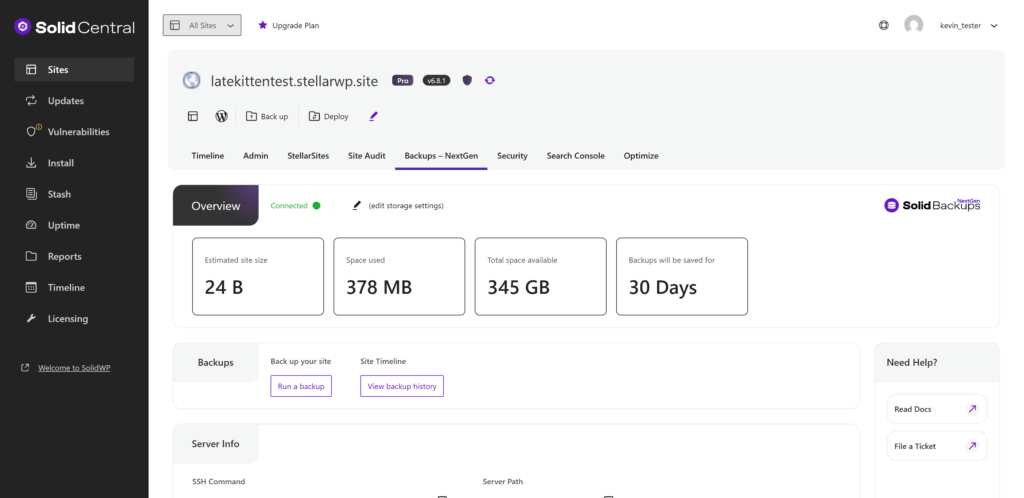
Every StellarSites website includes Solid Backups NextGen, which automatically creates a backup before any plugin or theme update. If an update causes visual issues, the system allows a quick and effortless rollback to the previous working version. This built-in safety net often removes the need for a separate staging environment.
Dynamic Sites and Staging: A Tricky Combo #
For websites that rely on live, constantly changing data—like WooCommerce stores, donation platforms powered by GiveWP, or event calendars using The Events Calendar—staging sites can introduce complications. Updates on the live site, such as orders, donations, or event registrations, do not sync automatically to the staging site, potentially causing data inconsistencies or confusion when changes are pushed back to production.
Alternative Option: Vanity Domains #
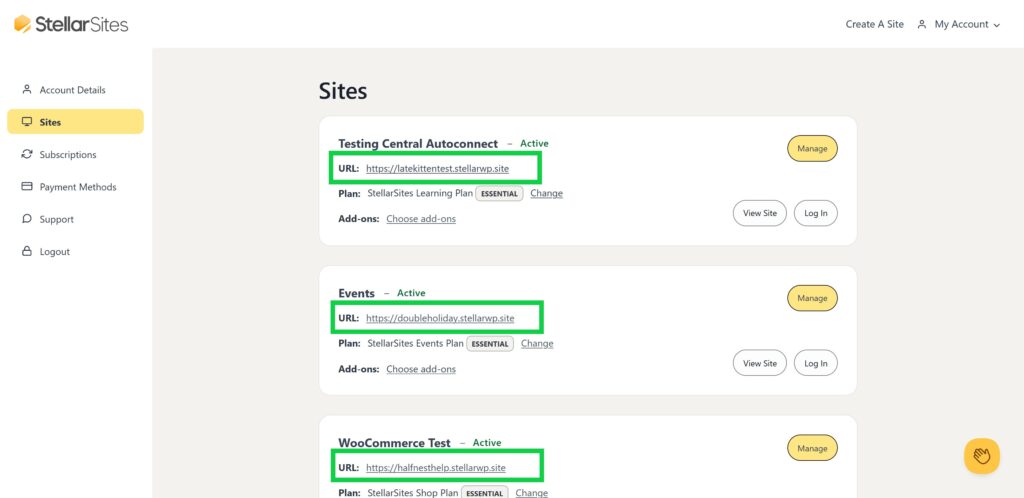
Every StellarSites site comes with a temporary vanity domain, offering a private space to build, tweak, and preview changes. Once the site is ready, the real domain can be pointed to the new StellarSites website with ease.
Need a Traditional Staging Site? #
While staging environments aren’t created by default, you can create a staging site easily by using a third party tool such as WP Staging or BlogVault and WP Stagecoach.
Conclusion #
StellarSites does not offer built-in staging by default, relying instead on powerful safeguards like automatic backups and one-click rollback. For sites with dynamic content, traditional staging environments can lead to more problems than solutions. Users can work privately using the provided vanity domain, and dedicated staging setups are available by request if necessary.


