
Introduction #
This article explains how caching works on StellarSites using the built-in Solid Performance plugin. You’ll learn what the plugin does, how to configure it for best results, and how to troubleshoot common caching issues.
If you want your site hosted with StellarSites to load lightning fast and stay reliable during traffic spikes, caching is one of the most effective tools available. With Solid Performance built into every StellarSites plan, configuring caching is simple, efficient, and completely code-free.
What Is Solid Performance? #
Solid Performance is a performance optimization plugin developed by SolidWP. It’s designed to improve WordPress site speed through a user-friendly, no-code interface. Pre-installed on every StellarSites plan, it helps your site deliver content more efficiently with several built-in features:
- Page Caching: Converts dynamic pages into static HTML for faster delivery.
- Smart Exclusions: Automatically skips caching on dynamic pages like WooCommerce checkout or donation forms.
- Browser Caching: Stores images, scripts, and styles locally on visitors’ devices to improve repeat load times.
- Compression: Reduces the size of HTML, CSS, and JavaScript files to accelerate load speed.
- Preloading: Proactively generates cached versions of pages so they’re ready before visitors arrive.
Accessing Solid Performance in Your Dashboard #
To get started:
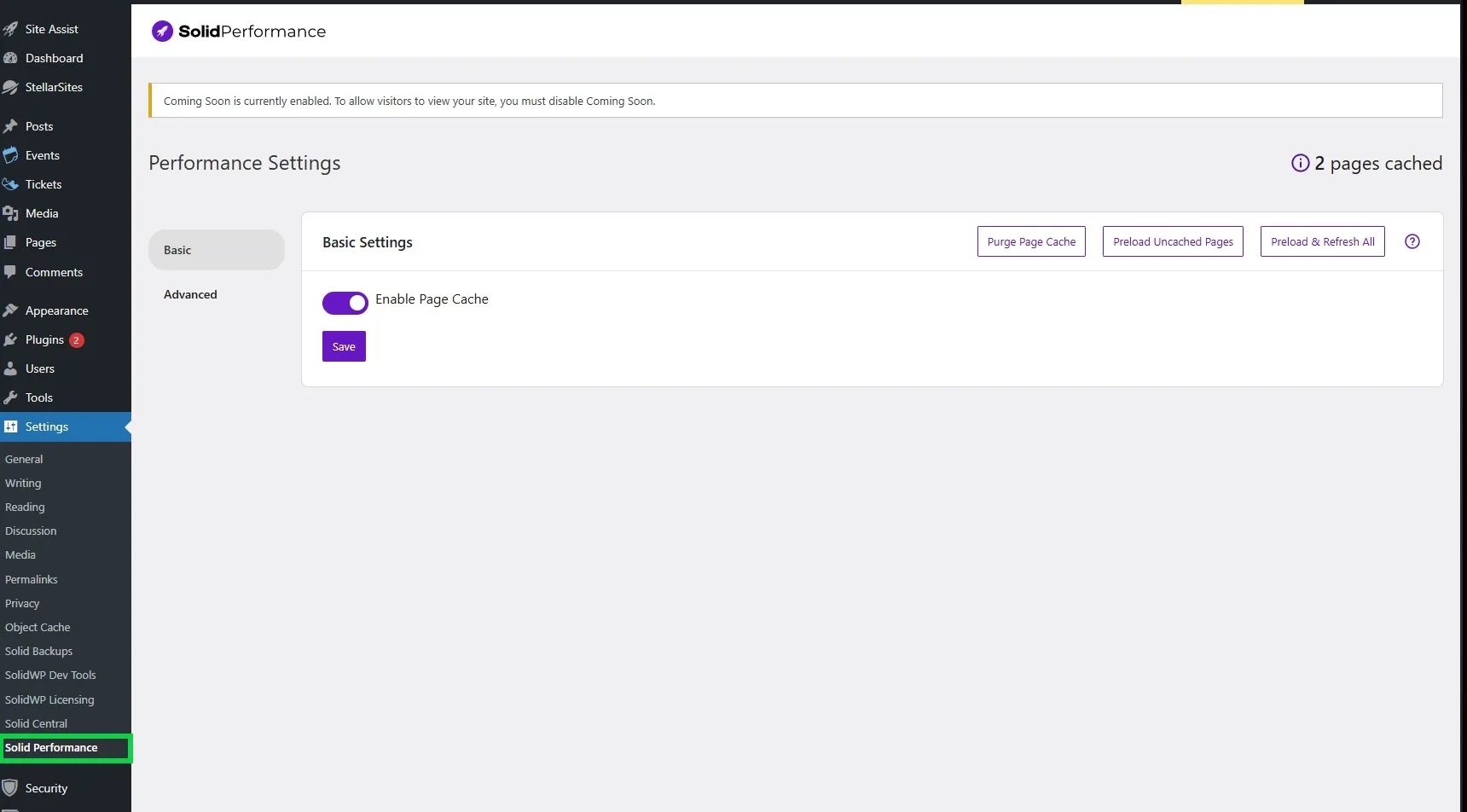
- Log in to your WordPress dashboard.
- From the left-hand menu, go to Settings > Solid Performance.
- If the plugin isn’t active yet, go to Plugins, locate Solid Performance, and click Activate.
Configuring Solid Performance #
Enable Page Caching #
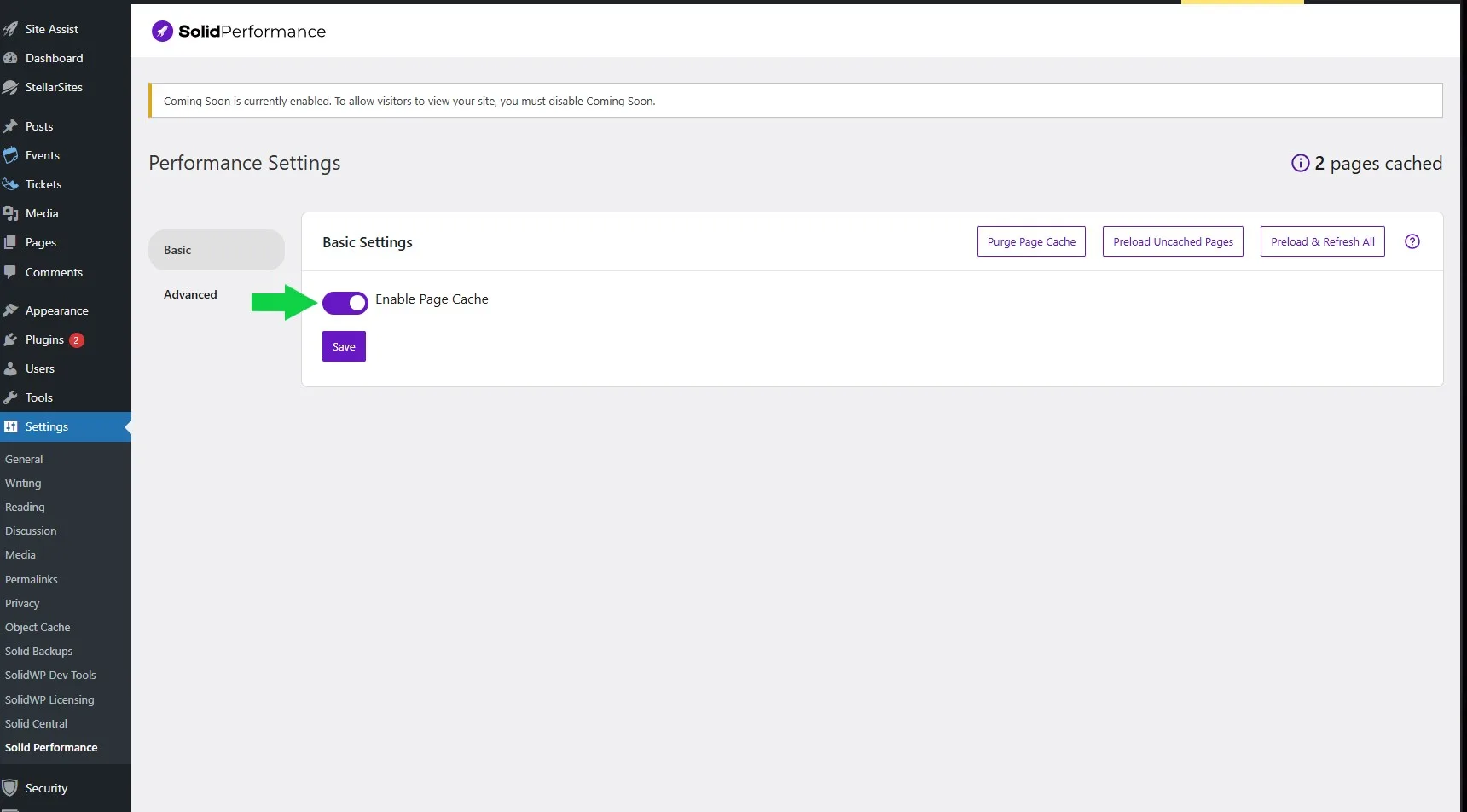
Turn on the Enable Page Caching toggle. This creates static versions of your site’s pages, reducing server load and speeding up content delivery.
Adjust Cache Exclusions #
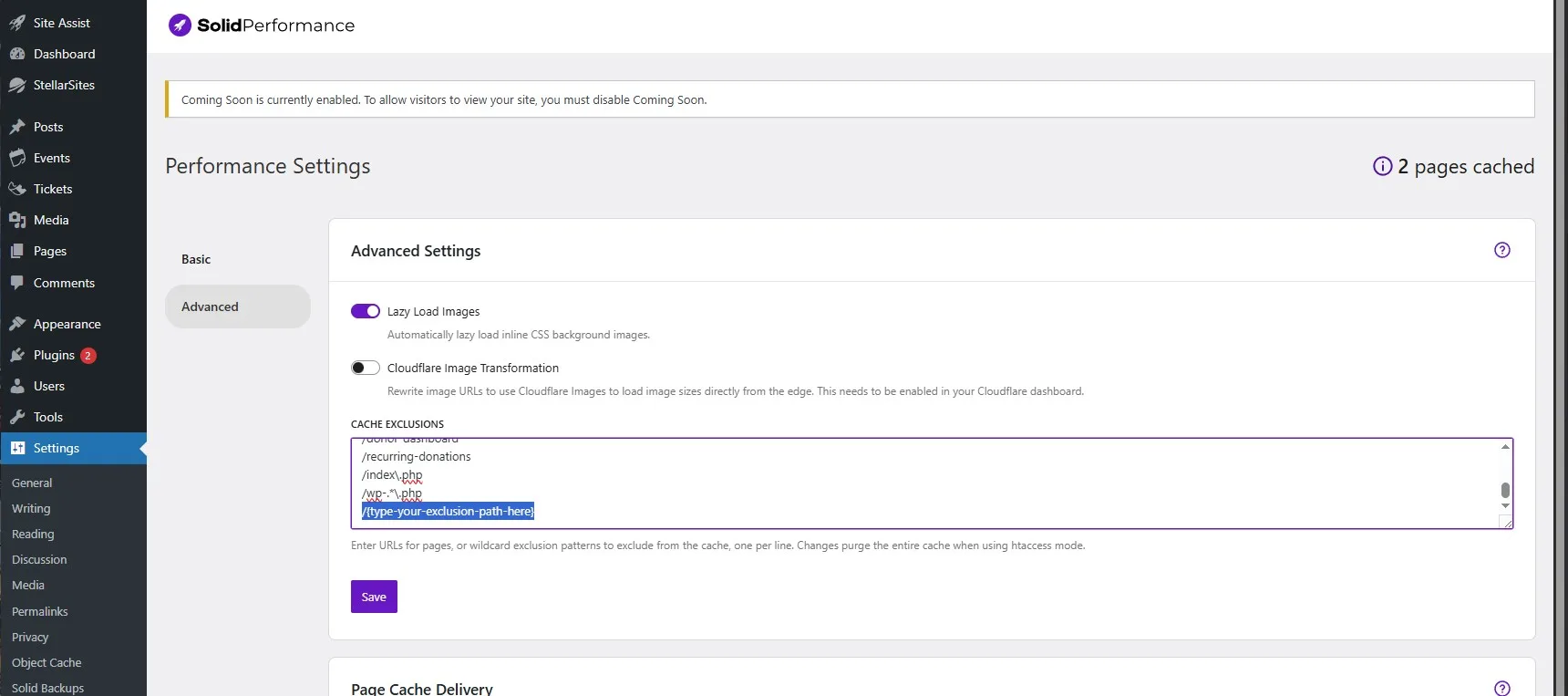
By default, Solid Performance excludes dynamic pages like carts and forms. You can manually exclude additional URLs or query strings by entering them in the Cache Exclusions field.
Enable Preload Cache #
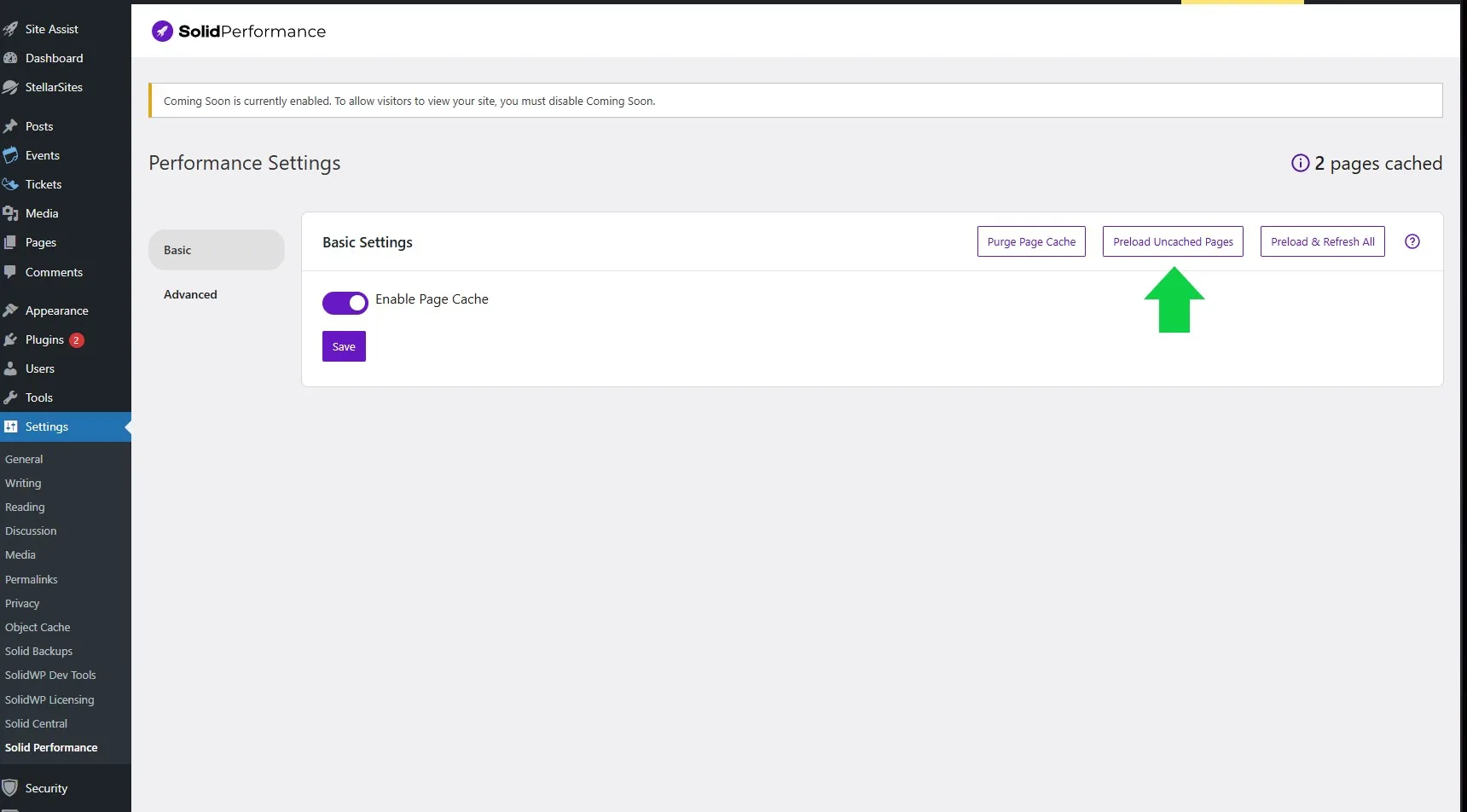
Turn on Preload Cache to automatically build cached versions of your site’s pages. For best results, connect your sitemap so Solid Performance knows which pages to prioritize.
Browser Caching (Automatically Handled) #
Solid Performance automatically configures browser caching for your StellarSites site. This means static files like images, CSS, and JavaScript are stored on your visitors’ devices so repeat visits load much faster. There’s nothing you need to do—if the server supports it, it’s already working for you.
Compression (Already Optimized) #
To help your site load faster, Solid Performance automatically applies compression for HTML, CSS, and JavaScript files. Depending on what your server supports, this may include Brotli, Deflate, Gzip, or Zstd. These methods shrink file sizes before they’re sent to the browser, improving performance without affecting how your site looks or functions.
Clearing and Managing Cache #
Caching is automatic, but sometimes you’ll want to clear it manually, especially after major updates.
- Clear All Cache: Use the Clear Cache button in the plugin settings to remove all cached files.
- Purge Individual Pages: From the WordPress admin bar, select Clear Cache for a specific page.
- Automatic Purging: Whenever you update a post or page, Solid Performance automatically clears and refreshes the related cache files.
Troubleshooting Common Caching Issues #
If your site isn’t displaying updates or behaving as expected, try the following:
| Problem | What to Check or Do |
|---|---|
| Page looks outdated | Click Clear Cache to refresh the version served to visitors |
| Forms or carts not working | Confirm these pages are excluded from caching |
| Design/layout appears broken | Check for plugin or theme conflicts, and adjust cache settings |
Bonus: Why Are There Other Caching Plugins on My Site? #
StellarSites uses two types of caching tools to maximize performance, each handling different layers of your site:
- Solid Performance: Manages full-page caching by storing complete HTML versions of your pages. This makes delivery to users nearly instant.
- Object Cache Pro: Uses Redis to cache database queries and PHP objects, making backend processes faster.
Think of it like a kitchen:
- Solid Performance is like having pre-made meals ready to serve.
- Object Cache Pro is like having all your ingredients prepped and tools laid out for fast cooking.
Together, they make your site faster on both the front-end and back-end—without you needing to configure anything manually. StellarSites has already set them up to work side by side.
Need Help? #
Caching with Solid Performance is one of the easiest ways to boost your StellarSite’s speed and reliability. If you ever have questions or want help fine-tuning your setup, the StellarSites support team is just a click away.


